

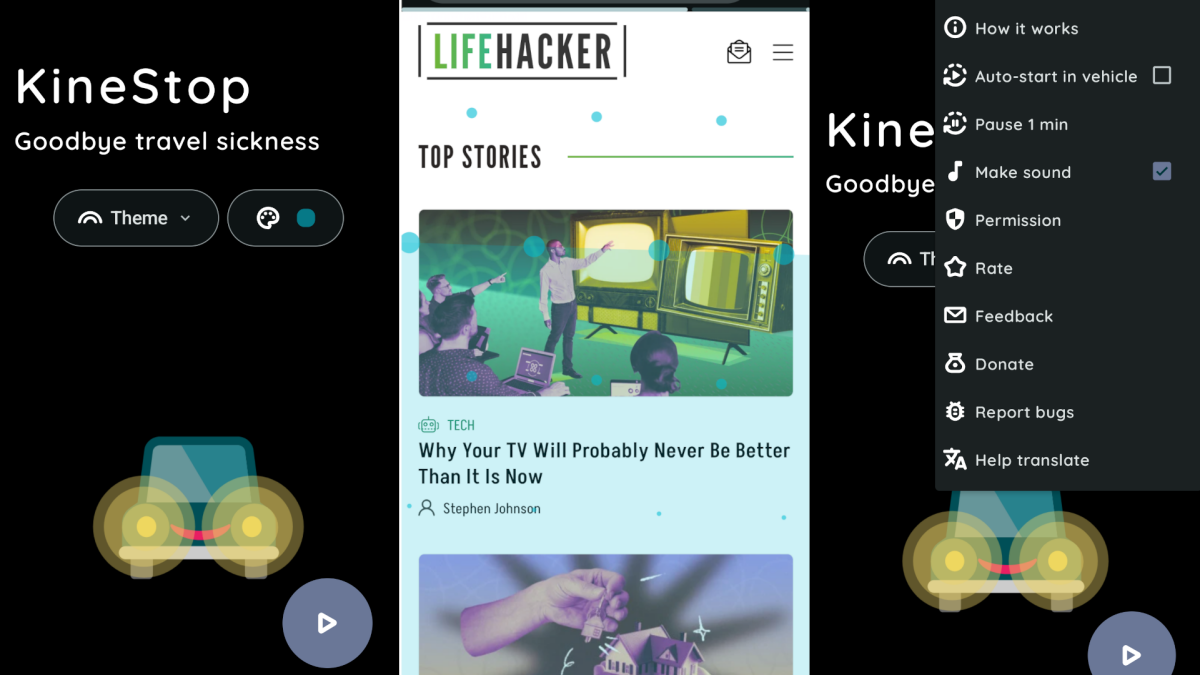
I get really carsick if I try to read in a moving vehicle. And there’s a reason for that: my eyes and my sense of movement are out of sync.
At least, that’s according to the CDC, which states that motion sickness, “happens when the movement you see is different from what your inner ear senses.” Your inner ear is a sack of fluid that moves when you do, giving you an innate sense of movement. If you’re in a car and watching the horizon, your senses are aligned. But if you’re looking at your phone, your senses are confusing each other. It’s similar to the reason VR games make some people feel sick.
The free Android app KineStop aims to help. The application overlays a transparent horizon, and a number of transparent dots, across your entire screen. The accelerometer on your phone is used to move these reference points as your phone moves, helping to reduce the conflict between your eyes and your inner ear. You can turn the feature on manually in the application or, if you prefer, you can set it up to turn on automatically when you’re in a moving car.
I tried it out, wondering if it would help with my carsickness, and it did—surprisingly well. Normally I can’t read for more than a few minutes without feeling sick, but the KineStop app helped me do so for longer, without discomfort. I’m still not going to be able to read novels during a long road trip, mind you, but I can look up the next restaurant on a road trip without vomiting, and I call that a win.
What do you think so far?
Credit: Justin Pot
KineStop is totally free, though there’s a $3.50 pro version that adds themed overlays, including one that makes it look like your phone is a half-empty beer. It’s great to support a developer, but I also think the free version will work fine for most everyone.
