

We may earn a commission from links on this page.
Philips Hue is one of the most well-respected and popular brands in smart lights—but what about its smart security cameras? Parent company Signify has been developing Hue cameras for a couple of years now, with a video doorbell and 2K camera upgrades recently added to the portfolio of devices. (Note: This 2K version hasn’t yet landed in the U.S., but the existing 1080p versions are quite similar.)
I got a chance to test out the new 2K Hue Secure camera, and alongside all the basics of a camera like this, it came with an extra bonus that worked better than I expected: seamless integration with Philips Hue lights. These two product categories actually work better together than you might think.
While you can certainly connect cameras and lights across a variety of smart home platforms, Philips Hue is one of very few manufacturers making both types of device (TP-Link is another). That gives you a simplicity and interoperability you don’t really get elsewhere.
Setting up a Hue camera
All the basic security camera features are covered.
Credit: Lifehacker
Hue cameras are controlled inside the same Hue app for Android or iOS as the Hue lights. You don’t necessarily need a Hue Bridge to connect the camera, too, as it can link to your wifi directly, but the Bridge is required if you want it to be able to sync with your lights—which is one of the key features here. (If you already have the lights, you’ll already have the Bridge anyway.)
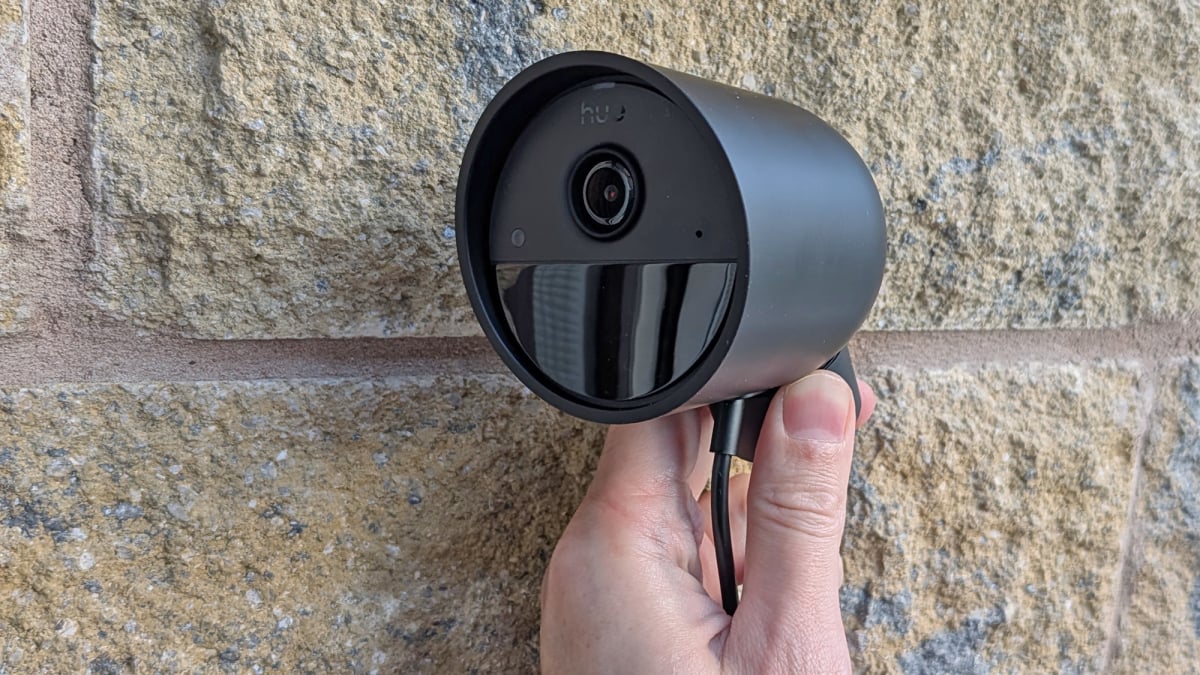
The 2K Hue Secure wired camera I’ve been testing comes with a 2K video resolution (as the name suggests). two-way audio, a built-in siren, infrared night vision, and weatherproofing (so you can use it indoors or out). As well as the wired version I’ve got here, there’s also a battery-powered option, and a model that comes with a desktop stand.
Once configured, the camera lives in the same Home tab inside the mobile app as any Philips Hue lights you’ve got. The main panel doesn’t show the camera feed—instead, it shows the armed status of the camera, which can be configured separately depending on whether you’re at home or not. The idea is that you don’t get disturbed with a flurry of unnecessary notifications when you’re moving around.
The basic functionality is the same as every other security camera: Motion is detected and you get a ping to your phone with details, with a saved clip of the event that stays available for 24 hours. You can also tap into the live feed from the camera at any time, should you want to check in on the pets or the backyard.
As is often the case with security cameras, there is an optional subscription plan that gives you long-term video clip storage, activity zone settings, and AI-powered identification of people, animals, vehicles, and packages. That will set you back from $4 a month, with a discount if you pay for a year at a time.
What do you think so far?
Syncing a camera with smart lights
Your cameras can be used as customized triggers for your lights.
Credit: Lifehacker
I started off a little unsure about just how useful it would be to connect up the Hue cameras and Hue lights—it’s not a combination that gets talked about much—but it’s surprisingly useful. If you delve into the camera settings inside the Hue app, there’s a Trigger lights section especially for this.
You get to choose which of your lights are affected—they don’t all have to go on and off together—and there are customizations for color and brightness across certain time schedules. You could have your bulbs glowing red during the night, for example, or turning bright blue during the daytime. The duration the lights stay on for can also be set.
It’s not the most sophisticated system, but it works: If someone is loitering around your property, you can have a selected number of lights turn on to put them off, or to suggest that someone is in fact at home. This is in addition to everything else you can do, including sounding a siren through the camera, and because it works through the Hue Bridge it all happens pretty much instantaneously.
You can also set specific cameras as basic motion sensors for you and your family—lighting up the way to the bathroom late at night, for example. This can work even when the system is disarmed, so there’s no wifi video streaming happening, but the cameras are still watching out for movement and responding accordingly.
There’s one more option worth mentioning in the security settings in the Hue app: “mimic presence.” This can randomly turn your lights on and off at certain points in the day, and the schedule you choose can be controlled by whether or not your Hue security is armed or disarmed (so nothing happens when everyone is at home).
