

We may earn a commission from links on this page.
If you track your runs (and bike rides, and all your other exercise) with a Garmin device, you’ve probably already found its gear tracking features. This is how I realized I’d put over 1,000 miles on my favorite Nikes.
Until recently, the usefulness stopped there. But in a new (free) update, Garmin has introduced a ton of new gear tracking features, including one I’ve been hoping for ever since I bought my first pair of trail shoes.
Now, gear tracking isn’t just for shoes. If you ride a bike, you can now count your bike as a piece of gear, or even individual components of your bike, like the frame or the tires. Other now trackable types of gear include skis, surfboards, boots, boats, skates, and wheelchairs. These new tracking features can be found in the Garmin Connect phone app that came out alongside a software update for several Garmin watches.
What’s in the new Garmin app update
Garmin Connect (the phone app that syncs with your Garmin watch or other device) has a revamped set of features for the Gear section, which you’ll find under the More menu in the bottom right corner of the app.
The new features include:
-
More gear types
-
Photos and notes for each gear entry
-
A database of existing brands and models
-
Automatic gear tracking is more detailed
-
You can create “collections” of gear that are used together
-
Gear stats are now viewable from your watch
Credit: Beth Skwarecki
Garmin’s new gear-tracking feature is exactly what I needed for my trail shoes
There’s a small thing I missed when I switched from Coros back to Garmin last year: In the Coros app, I was able to designate a default shoe for my regular runs, and a different default shoe for trail runs. Garmin used to only allow you to have one default running shoe.
What do you think so far?
The new update delivers similar functionality to my Garmin, alongside a lot more detail. You can now choose to automatically add a given gear item to any activity your watch can track. For example, I can still set a shoe to be added automatically to “all Running” and that will be the same behavior as before. But I can also set my beloved (muddy, ripped-up, long-suffering) trail shoes as the default for trail running, and my nice new Nike Downshifters (1,000 mile target) as the default for the regular “run” activity. If I had a shoe I kept in my gym bag for the treadmill, I could set a separate default for treadmill runs as well.
Collections help you manage multiple gear items
Garmin now offers “collections” of gear that you use together. For a bike, you could combine your favorite tires, frame, and so on. Just as you can add individual items automatically to certain activity types, you can also assign a collection as the default for an activity. For example, a collection that includes your jogging stroller and your street running shoes could be automatically added to all your street running activities.
You can view and change your gear right from your watch
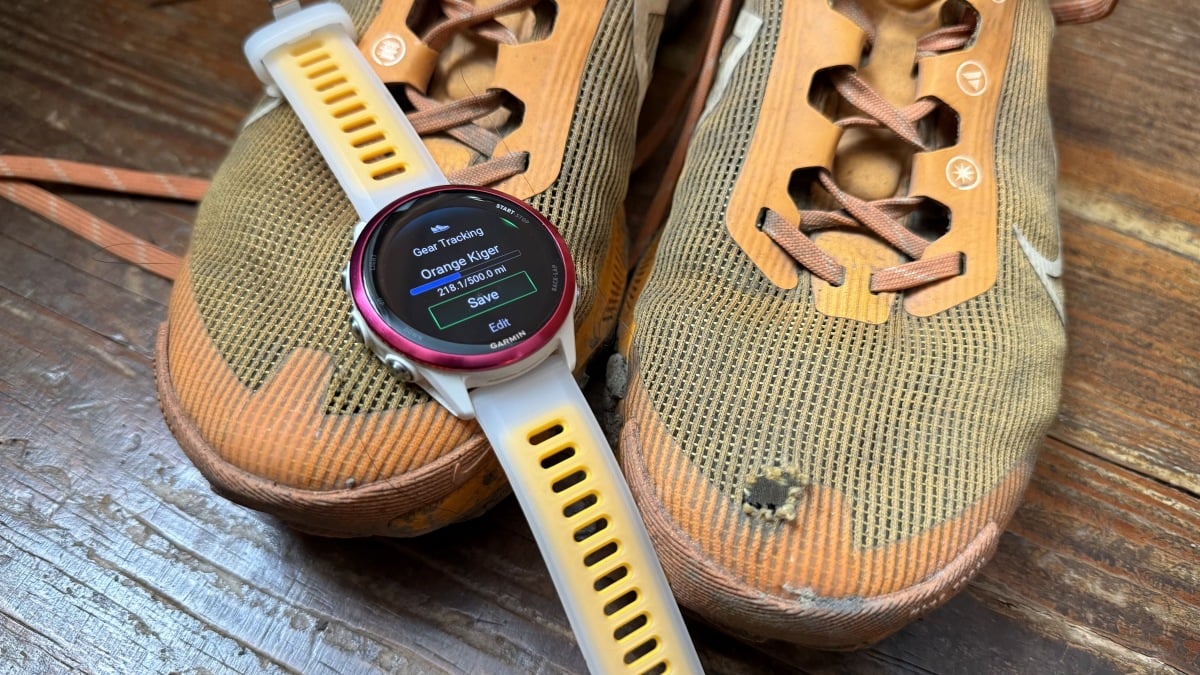
So far there’s no overall gear viewer on the watch (I was hoping for a glance) but you can see your gear options under the activities. Select an activity—say, Run—and you’ll see which shoe or gear is assigned to it by default. If you’d like to change the default, you can scroll down and select a different shoe, or decide not to log a shoe at all. When you look at each shoe, you can see a bar showing how many miles you’ve put on the gear compared to the lifespan you’ve entered.
